%20copy.png)
.png)
.png)

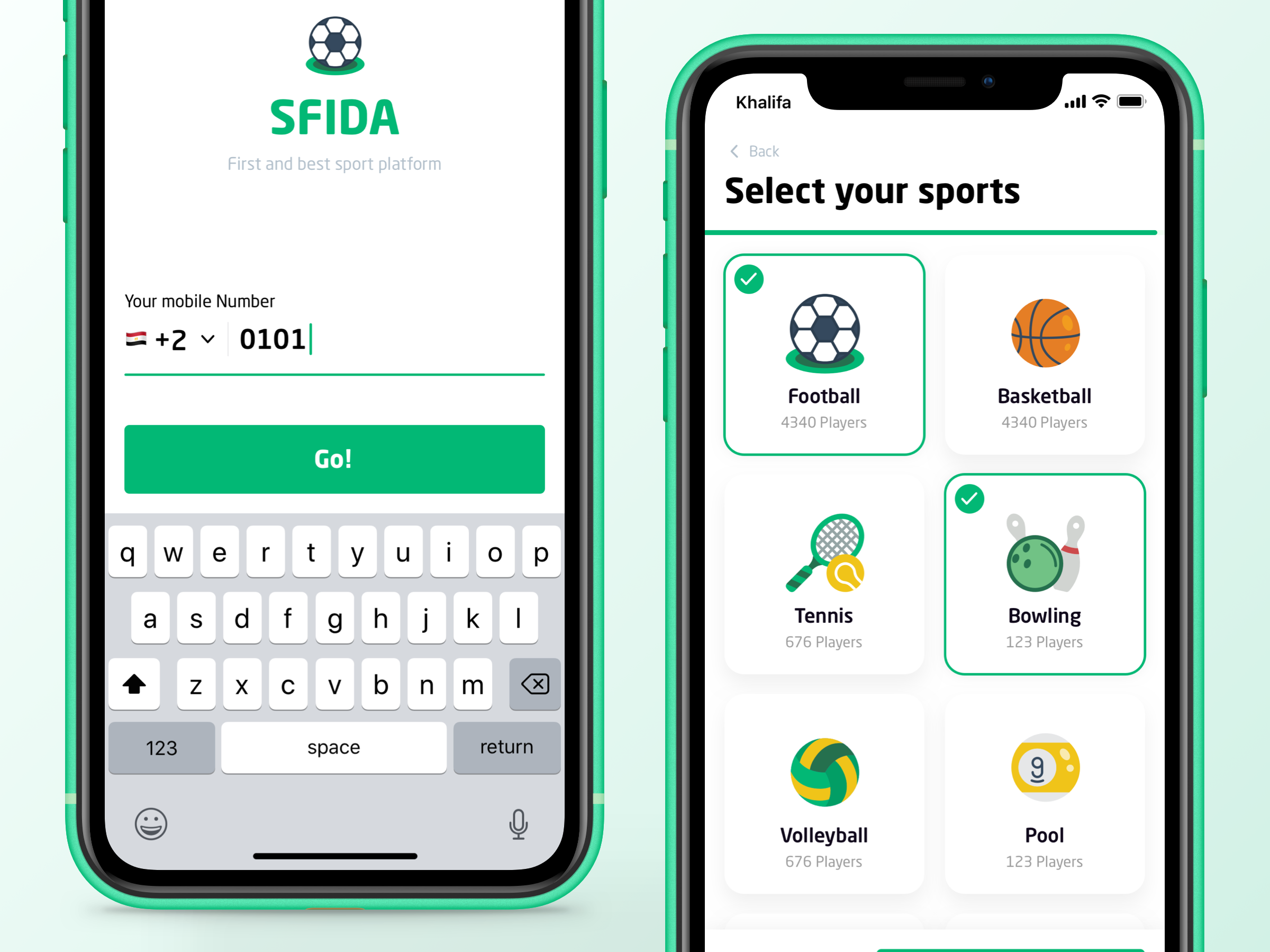
I led the whole product design process, from planning and requirements gathering to wireframing, then building a style guide, and Interaction design.
SFIDA is a social sports platform that is designed to make sports more fun. SFIDA is the perfect solution for competitors to create teams with other players, compete in their favorite sports, and organize real championships. It has many features like choosing your teammates, creating your own teams, accepting challenges, joining championships and even enrolling in courses.
What makes the platform special is that as a player, you have a profile with all of your records and as a club / field you can manage your field(s) bookings for all sports and organize your courses with your trainer or staff.
Business challenge
SFIDA wanted to reflect their vision in one app that gather players from different places who have the same passion towards sports. The app is not just about creating teams and enrolling in competitions, but also about socializing and encouraging players to know eachothers in reallife.
Approach
The aim was to use gamification elements and social interaction designs within one platform to allow players to interact with eachothers. The application’s design has many features and sections to give the players a real chance to have multichoices from which they can select the sport type, team, challenge, championship, sports field, and courses. Also, the application is supported with notification icons and timeline sction, so the users can be updated with the latest activities and challenges.
SFIDA application’s unique userinterface and design have proven success in making the application a perfect social sports platform for amateurs and proffessionals alike. With the upcoming launch of the application, SFIDA confidently aspires to be the ultimate choice for players thanks to the promising.
Activities
• Stakeholders meetings: through 4 consecutive meetings.
• User flow.
• Competitive analysis.
1- Sketches
Preview sketches for the different components/ preview more than 2 options for one component.
2- Wireframes
For the main screens and core flow for the product.
3- Design Style guide
Show the UI guidelines, and define colors, typography and elements.
4- High-fi mockups
Preview each flow within its scenario and highlight some chief components.
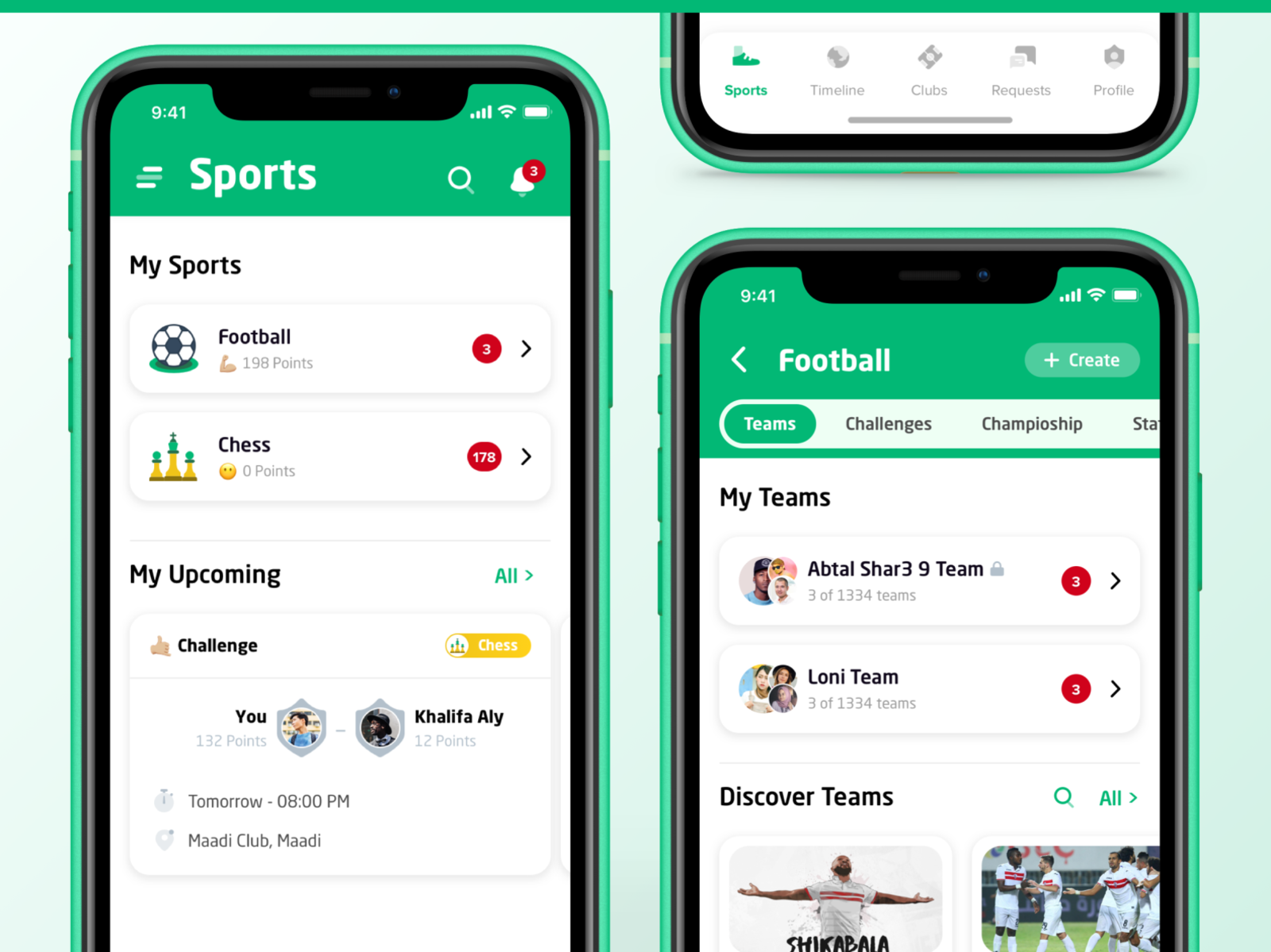
a) My Sports
Representing the landing tab, this feature shows the sports which the player is interested in. Also, it has a notification circle for each sport. There is another section included “the upcoming section” that contains the upcoming activities like challenges, championships or courses.
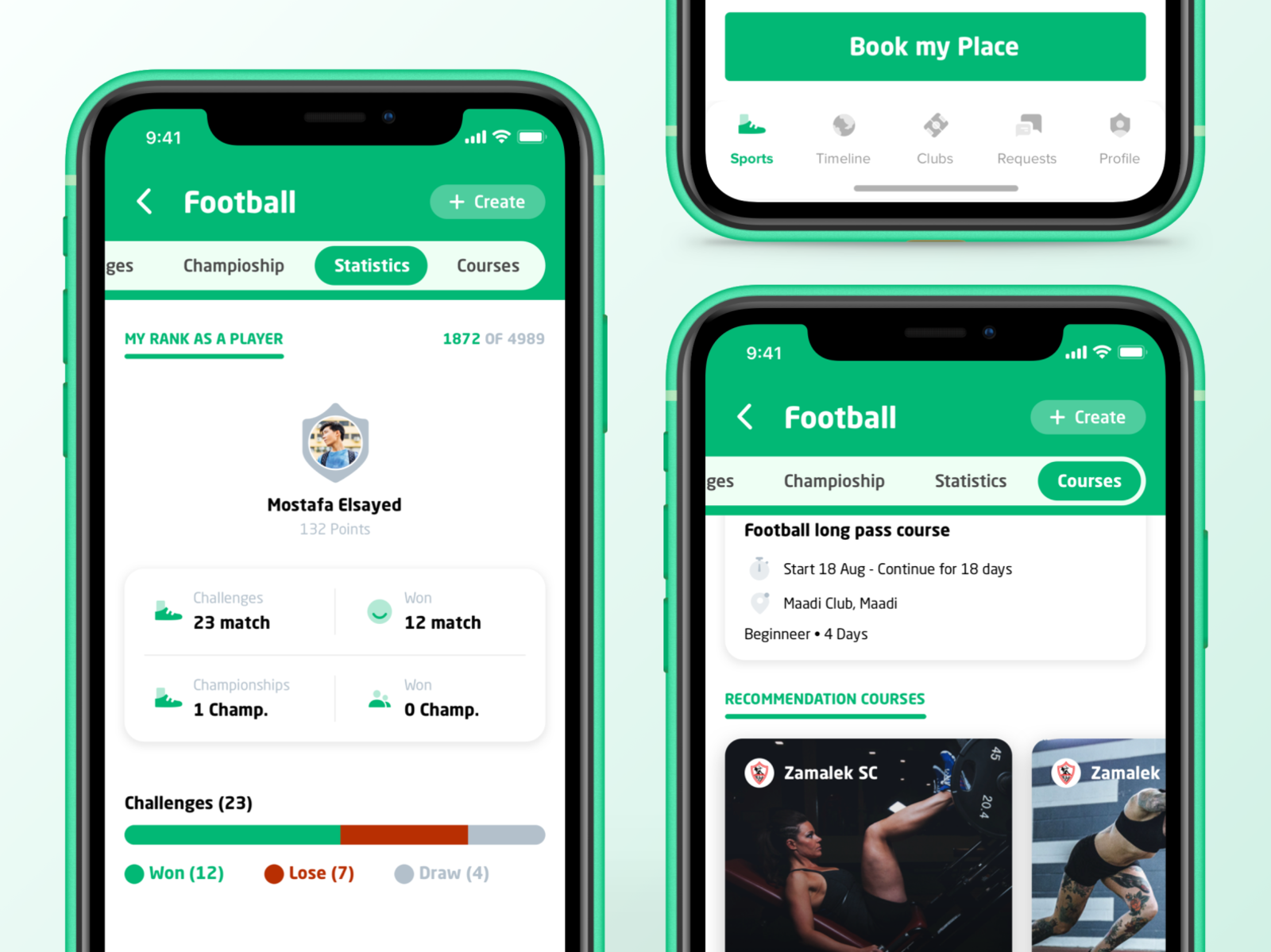
b) Sport flow
Challenges (Take, manage and create challenges)
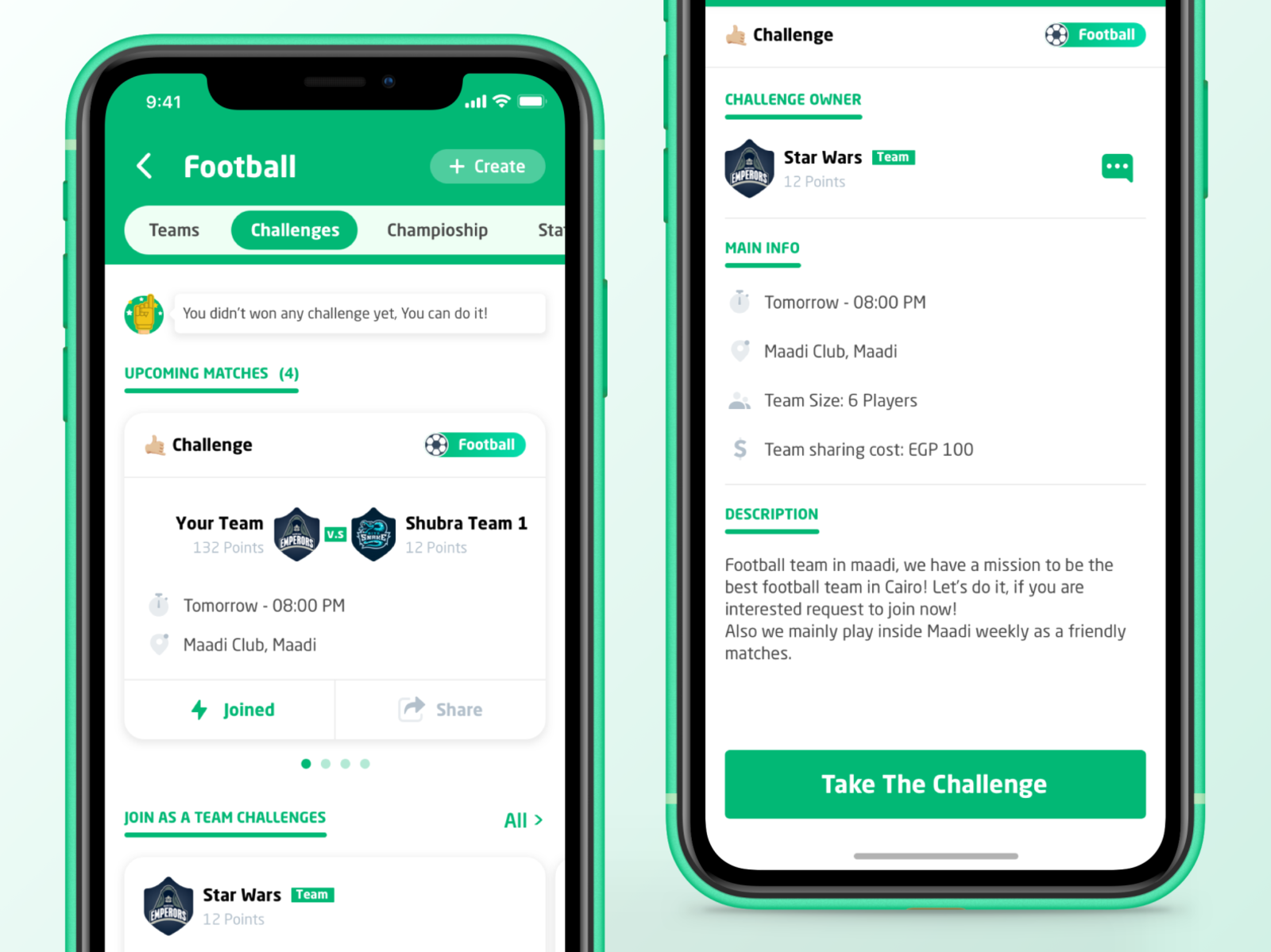
Championships (Join, Share championships)

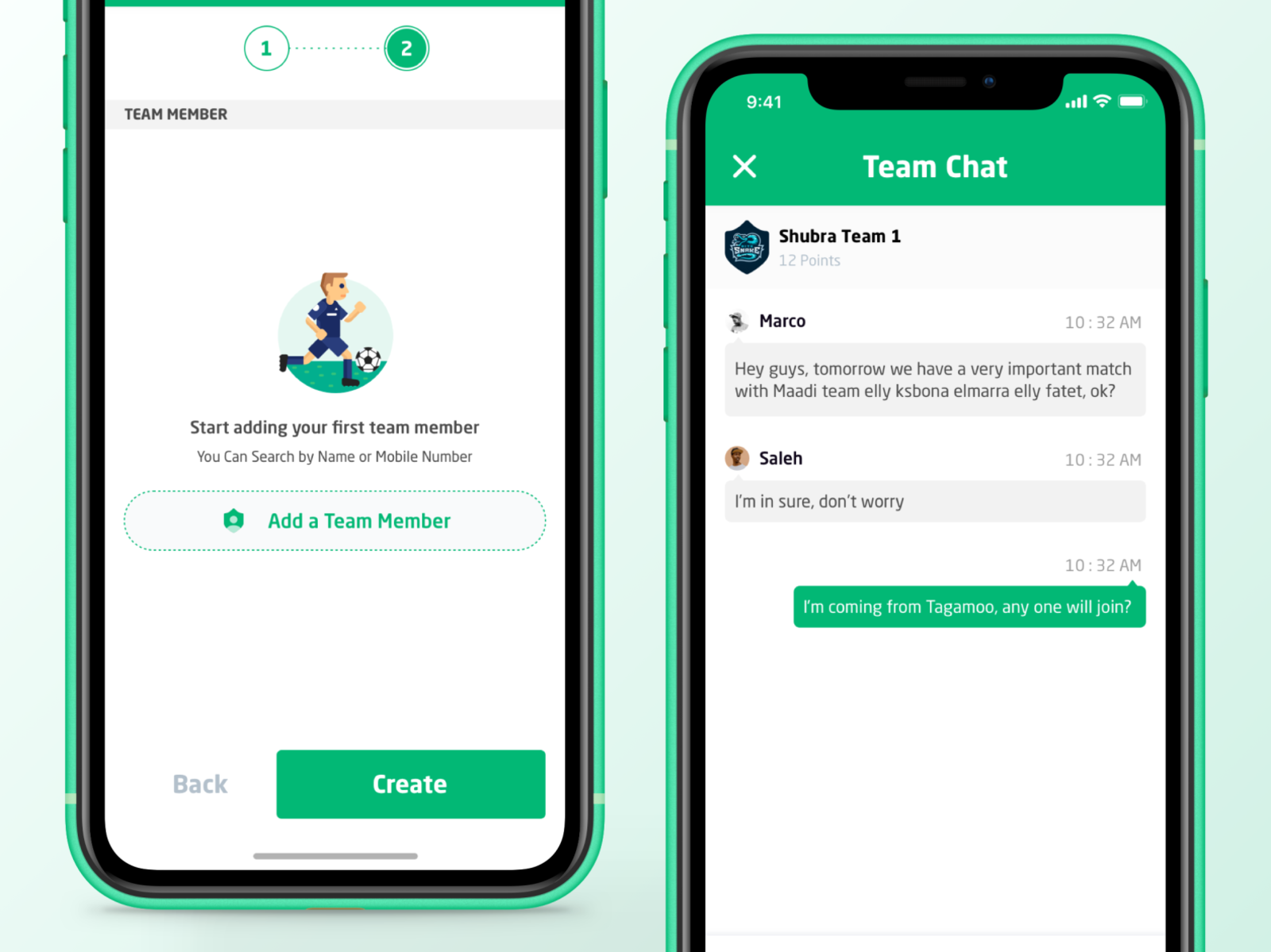
Team Chat
Statistics (Show your numbers and rank in this sport)
Courses (Register and book your place)
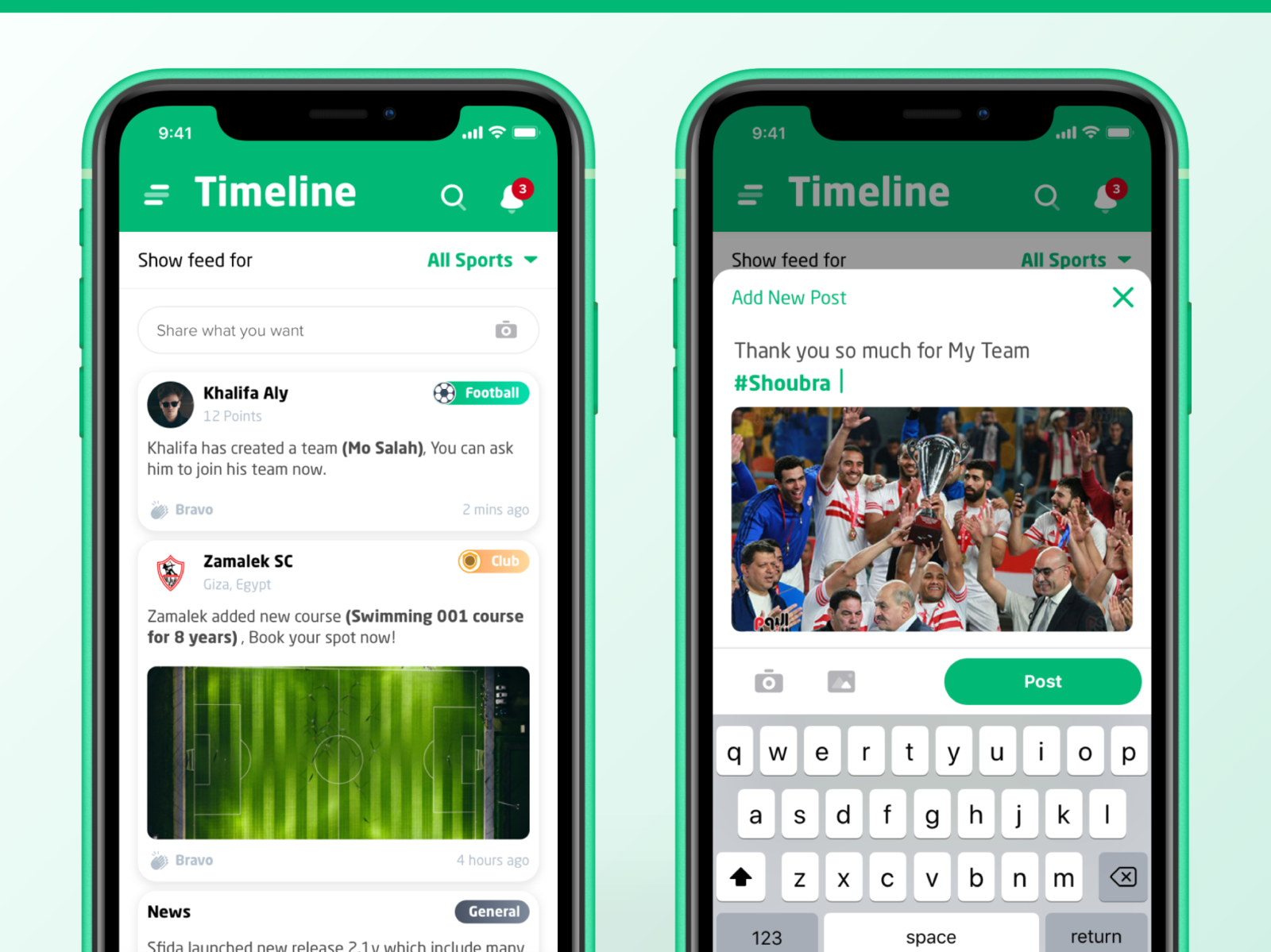
c) Timeline
In this tab, you can discover different ongoing activities: posts from your friends or clubs.
You can also add new post for your daily activities.
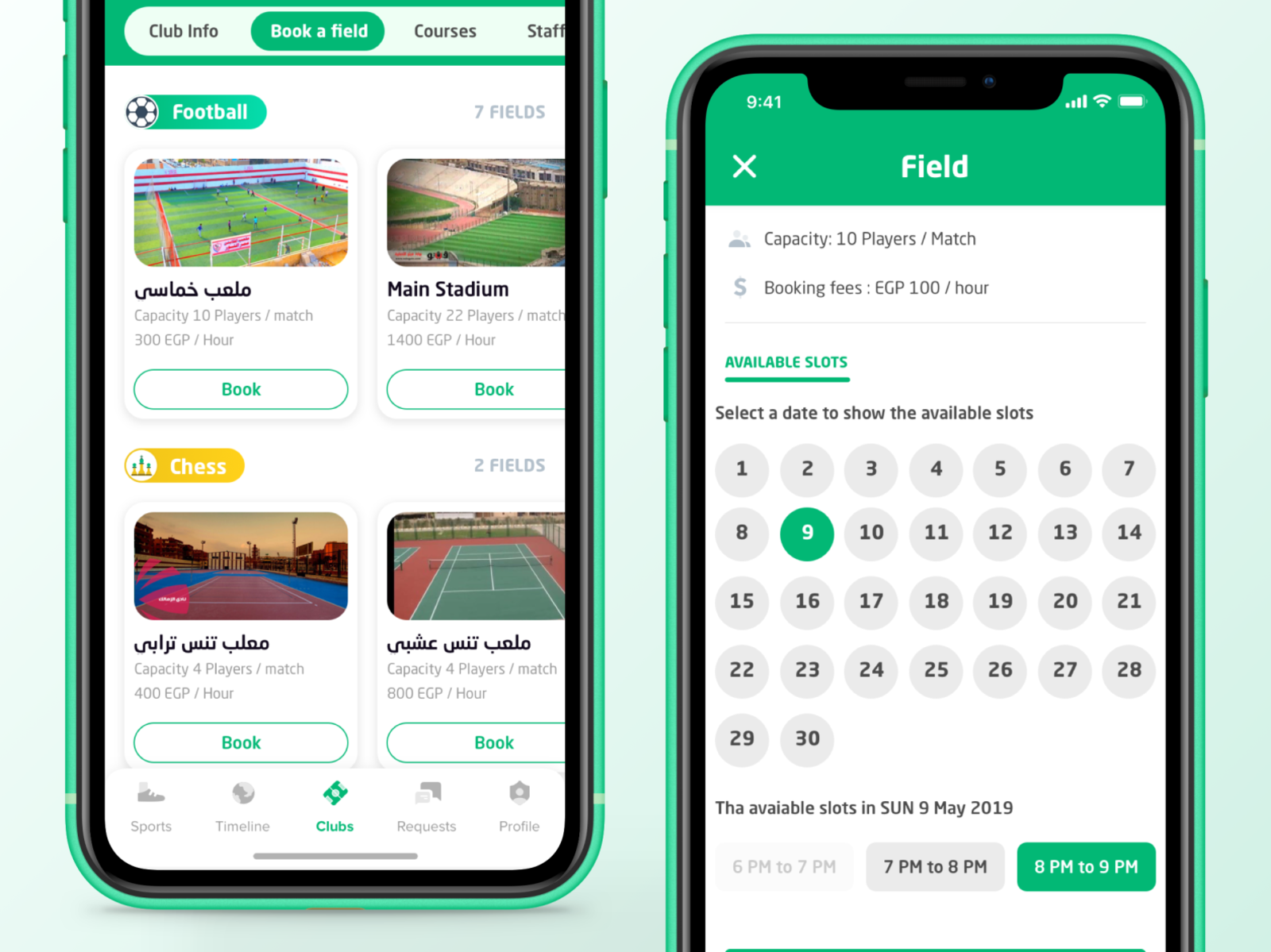
d) Clubs
You can discover the clubs and near sports fields, choose the sport you like and find the perfect pitch for you.
In each club you can check availability of the fields for each sport and book a slot for your upcoming challenge.

Book a field
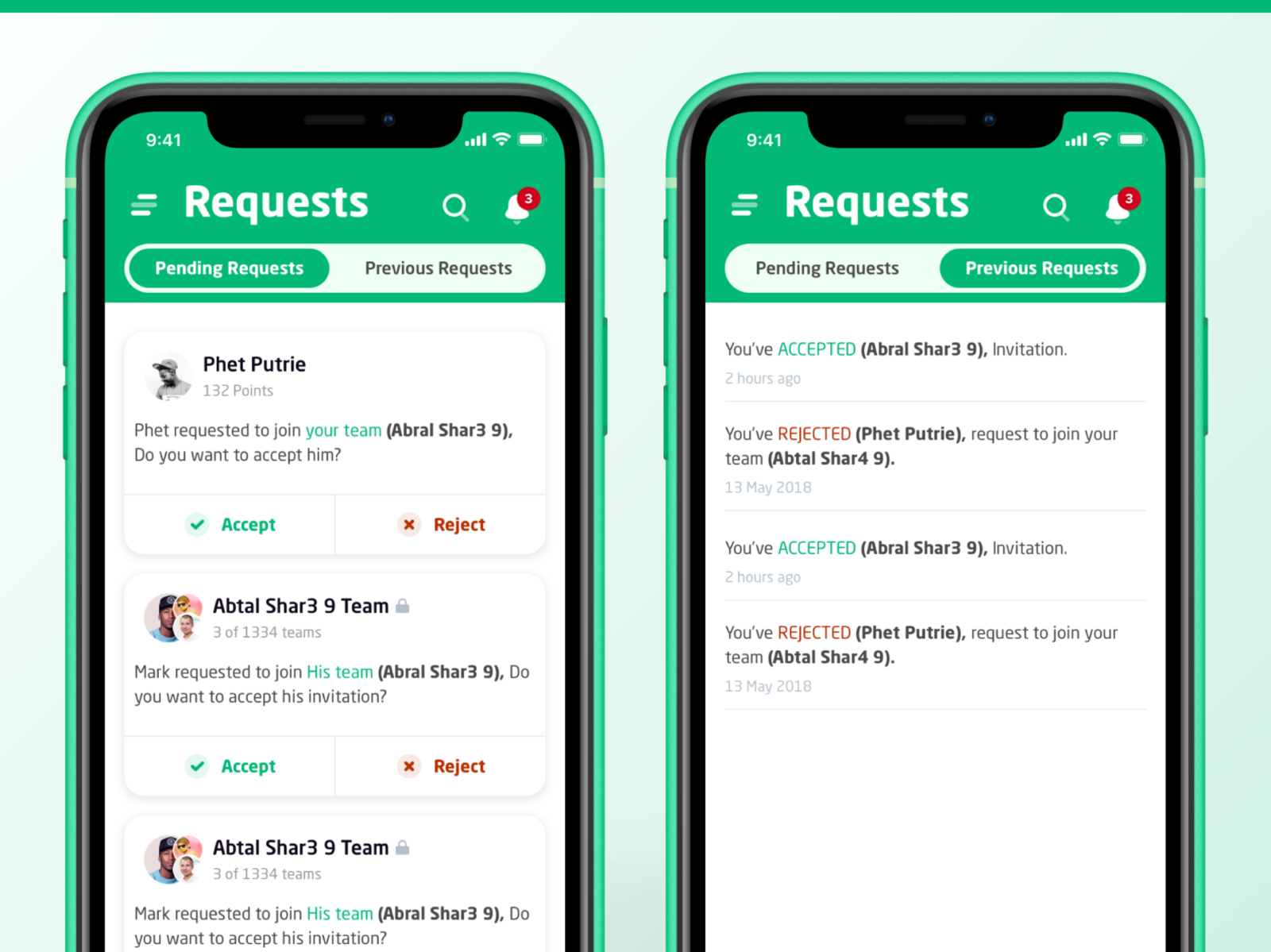
e) Requests
In this tab you will see your requests to accept a challenge, join a team, or join a competition.
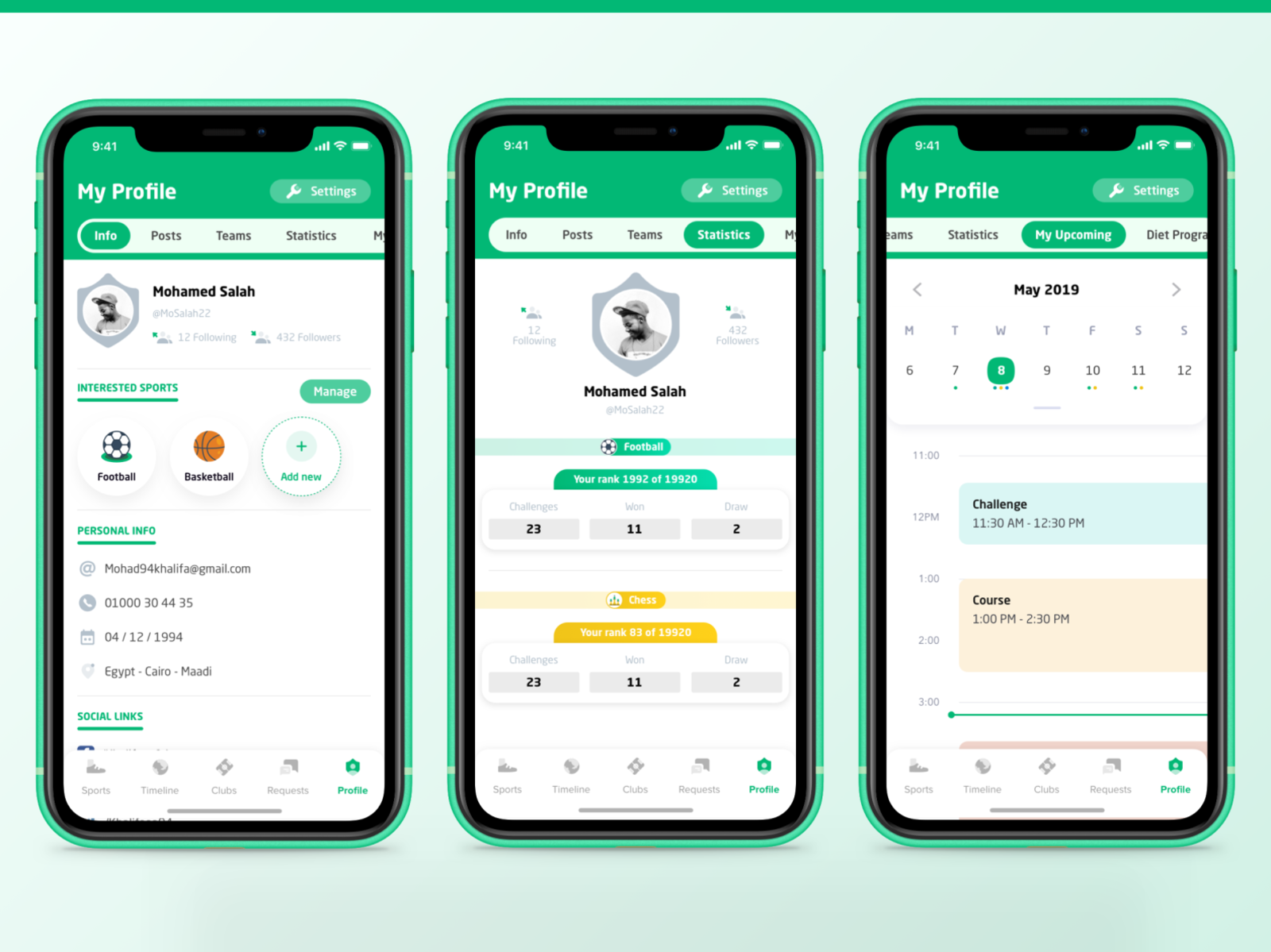
f) My Profile
Your profile and settings: you can find your sports, posts, teams, statistics, upcoming schedules, and courses in this section.
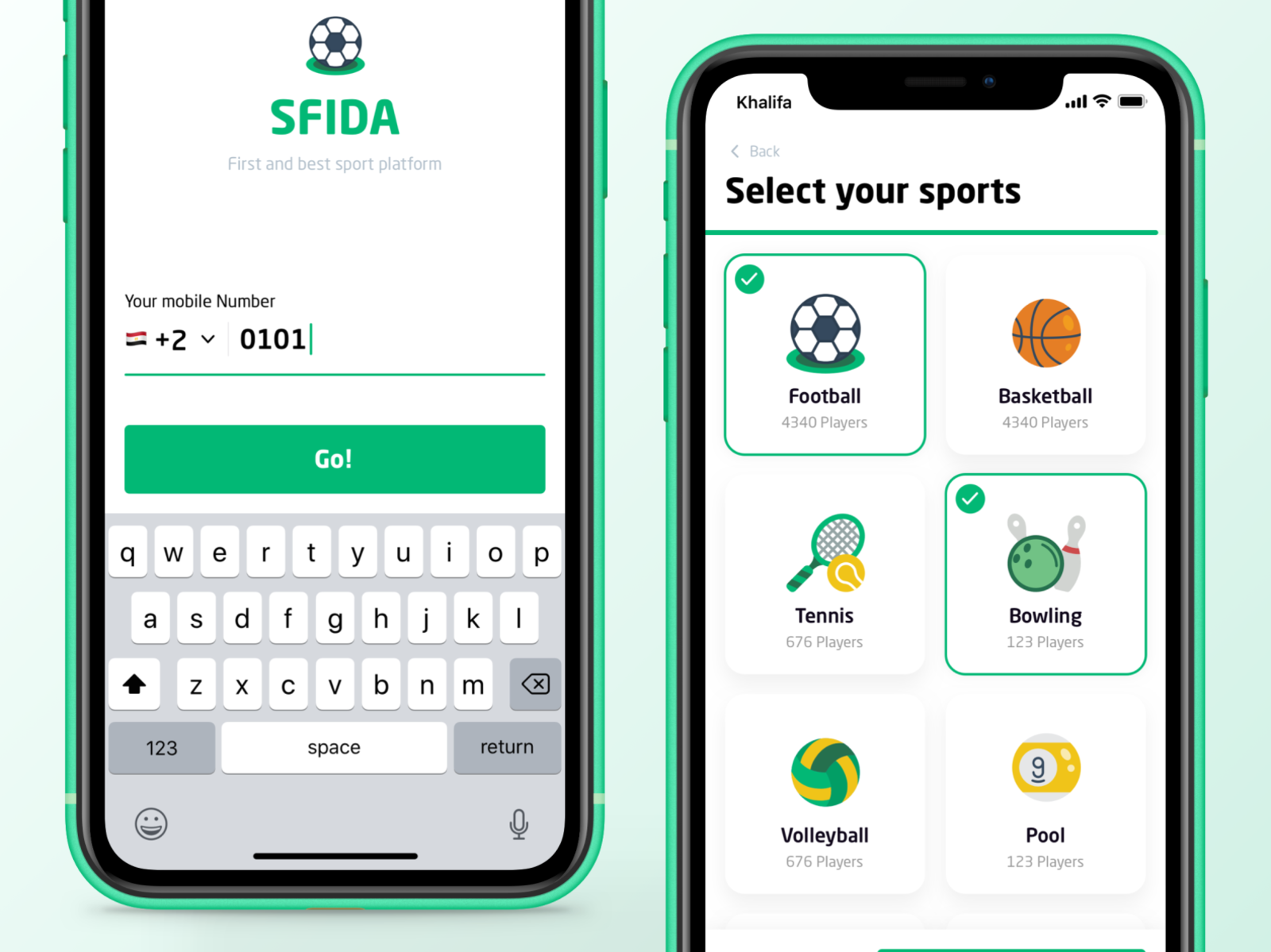
g) Joining Flow
In signup process, you should select some sports to start playing them.
Still under development