%20copy.png)
.png)
.png)

I worked on this project as a lead UX designer.
Main areas of responsibility:
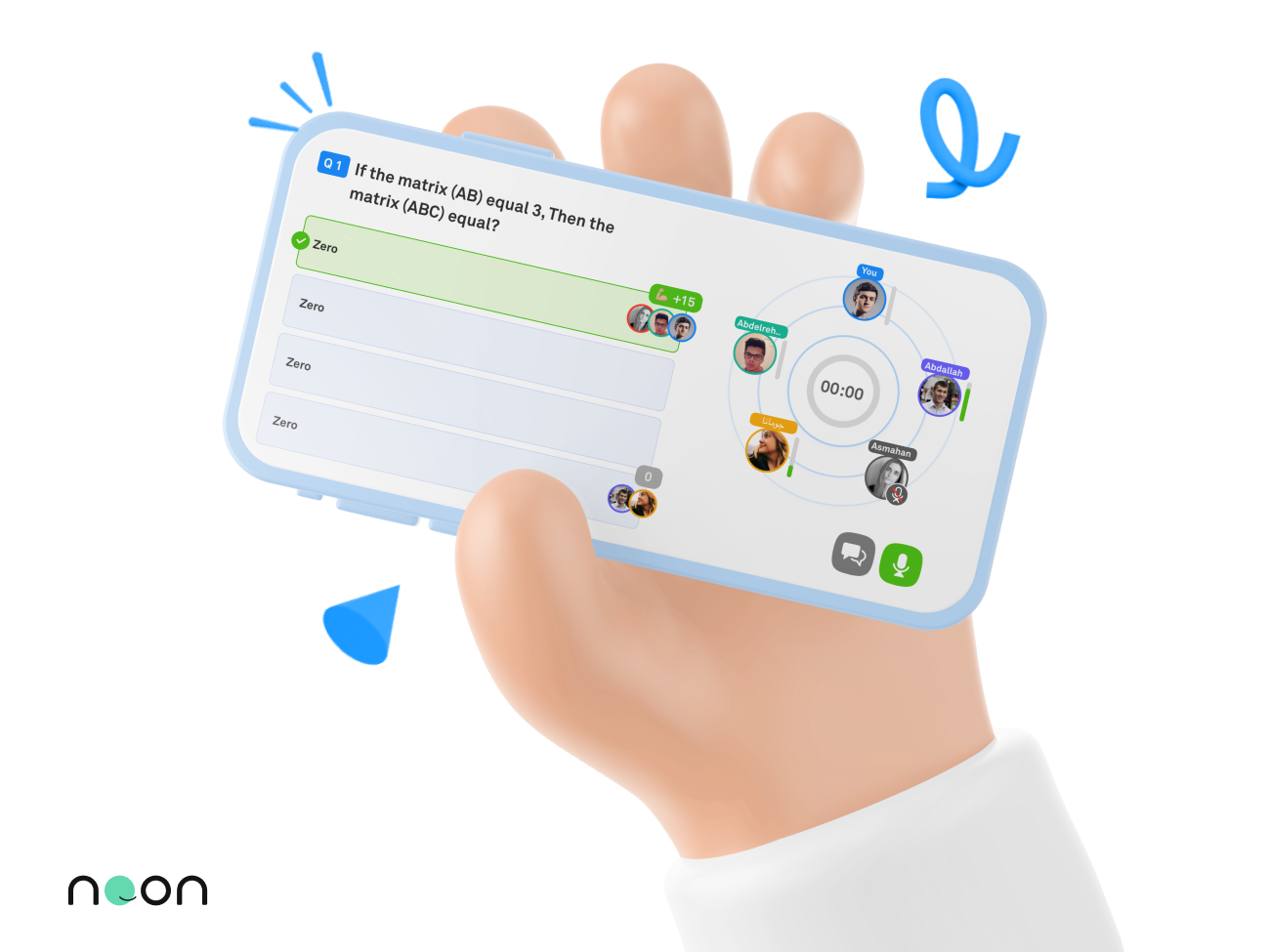
In the post-covid era, keeping the students engaged and willing to participate in online classroom discussions is becoming one of the major challenges to the design teams in all different learning platforms; however, in Noon Academy, we decided to add a tweak that totally changed this to our favor!
As the lead UX designer in this project, I was responsible for reflecting Noonacademy's new direction towards applying the "social learning" theory in a digital environment. Designing this peer-to-peer learning feature is the first and most important feature of this kind in the application because it transforms the concept of distance learning to be learning with interactive communication with the teacher and colleagues. In this case study, I will present how creating a collaborative environment for students resulted in a great surge in interaction numbers!
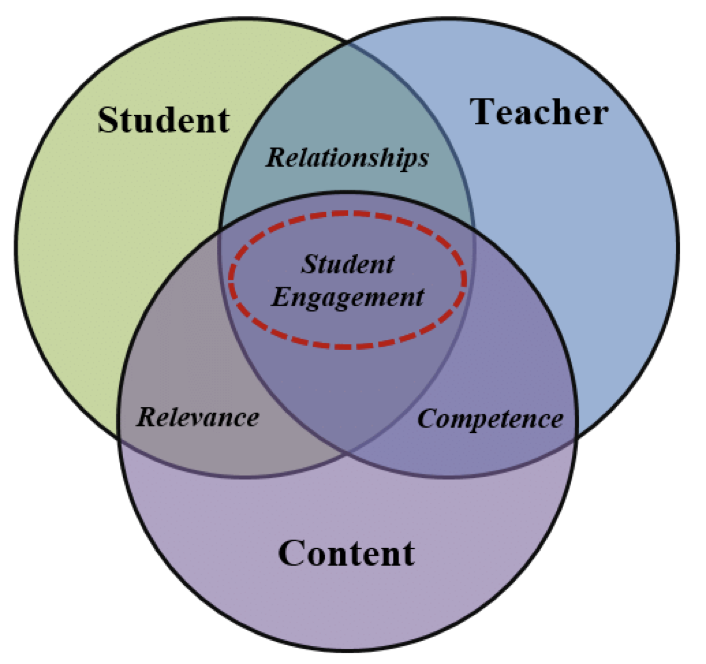
What exactly is social learning? "Social learning" is one of the most applauded learning theories in the world. It emphasizes the importance of learning in a social context with interactions of other people. Learners tend to observe the people around them and imitate their behaviors and actions. They learn with their peers, so through observations and interactions, they have various 'models' to learn from.
So where is the magic in this feature? The answer is not in what was added, but in what value the new design allowed the students to add. Through designing features that revolve around putting the "social learning" theory into practice, I created a complete flow based on the correlation between interaction and learning. As a result, students could have better comprehension as they interact and enjoy learning with other peers and overall have a good time that is translated into a longer time spent on the app. In other words and from a mere educational perspective, social interaction between peers enhanced the learning experience and increased the cognitive skills between the students.
The biggest online learning challenge in this UX project is distance and social isolation.
When learning remotely, the student does not interact, but only listens to the teacher. With this feeling of increased isolation, it becomes as if he is merely listening to a recorded lesson. Hence, the major problem question was: How we can let the students feel the urge to interact online? The answer came up with the concept of "social learning" and was put into practice with the breakout groups feature.
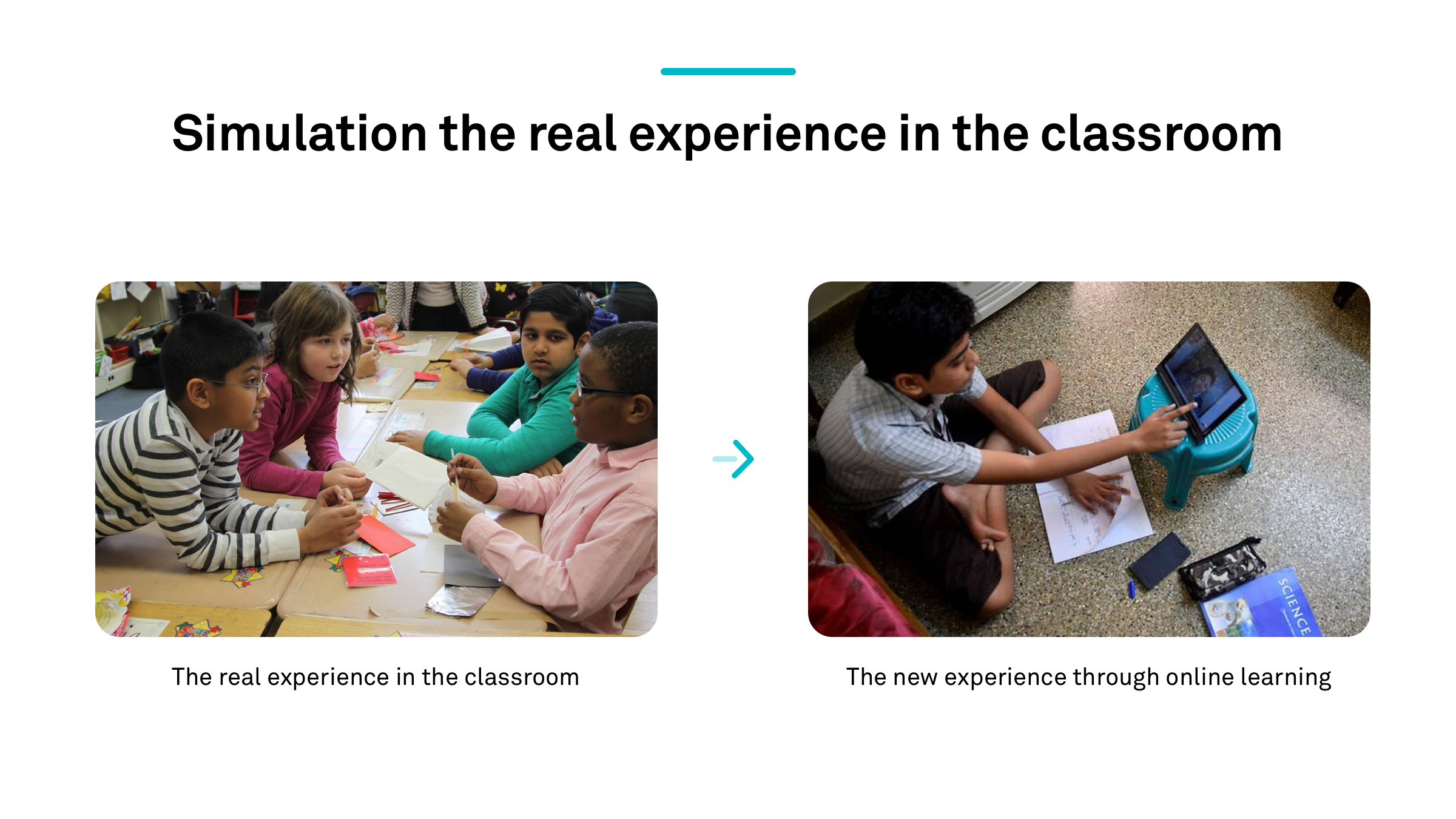
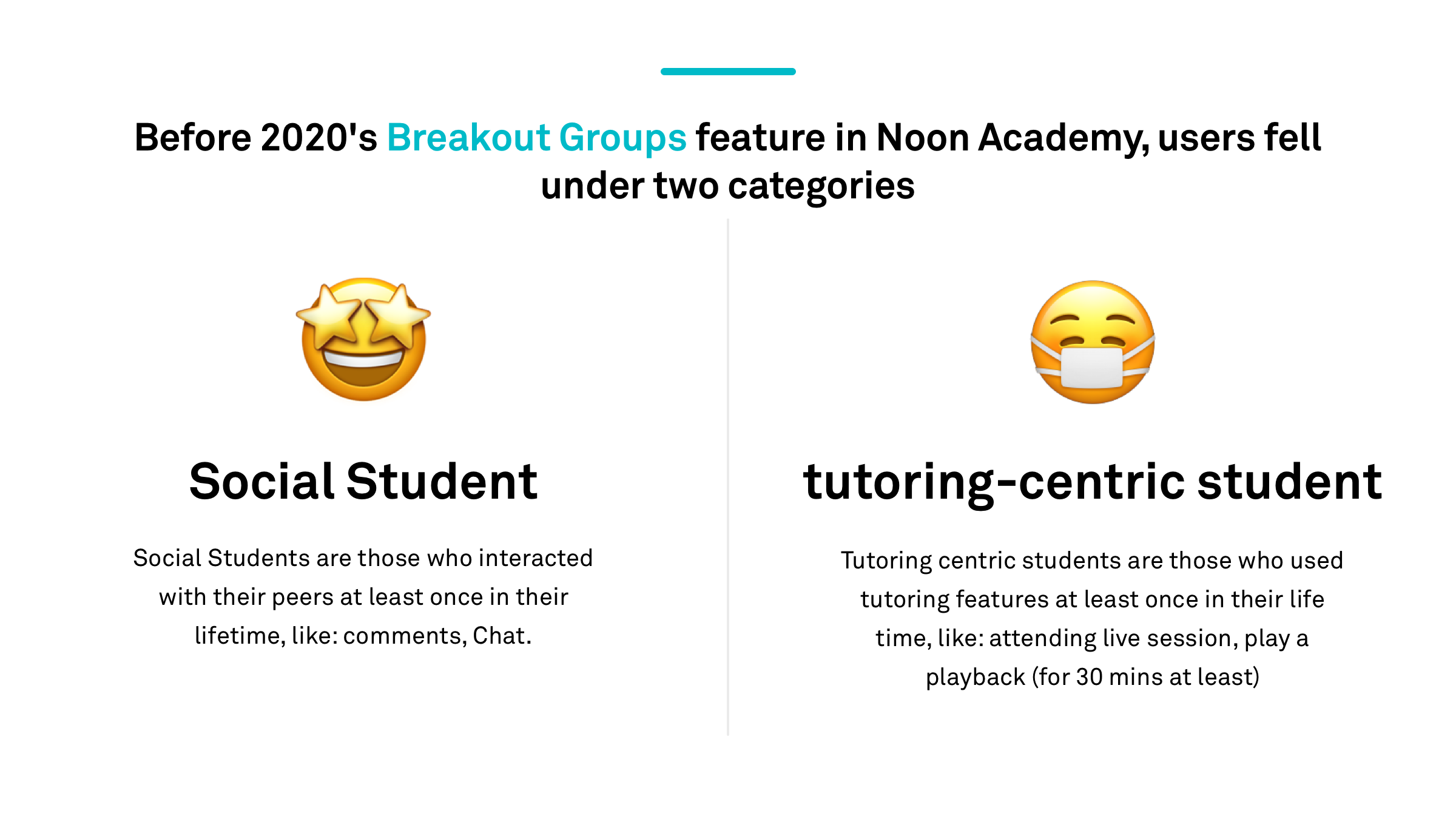
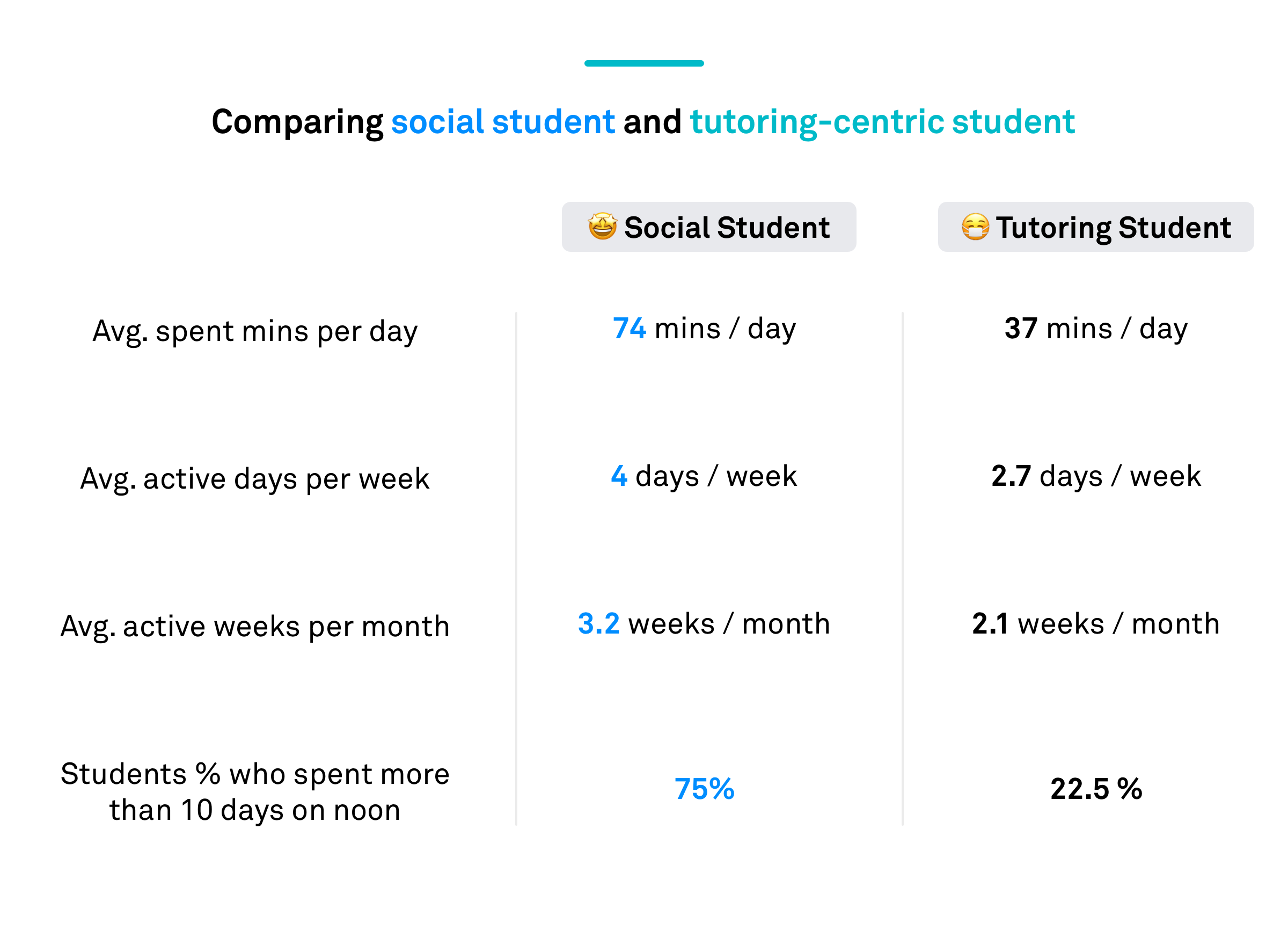
To imitate students' interaction and participation in the physical classroom, I had to research the old drawbacks in the previous user flow and go beyond the old public chat feature. As this chat feature enabled no interaction among the students, the UX research showed the interaction numbers to be very low:
Based on this research, I could find the perfect opportunity here to increase the time students spend on Noon academy by introducing some new features which encourage all students to be "Social Students". The interaction; thus, will not only be limited between the student and the teacher, but also among the students themselves.
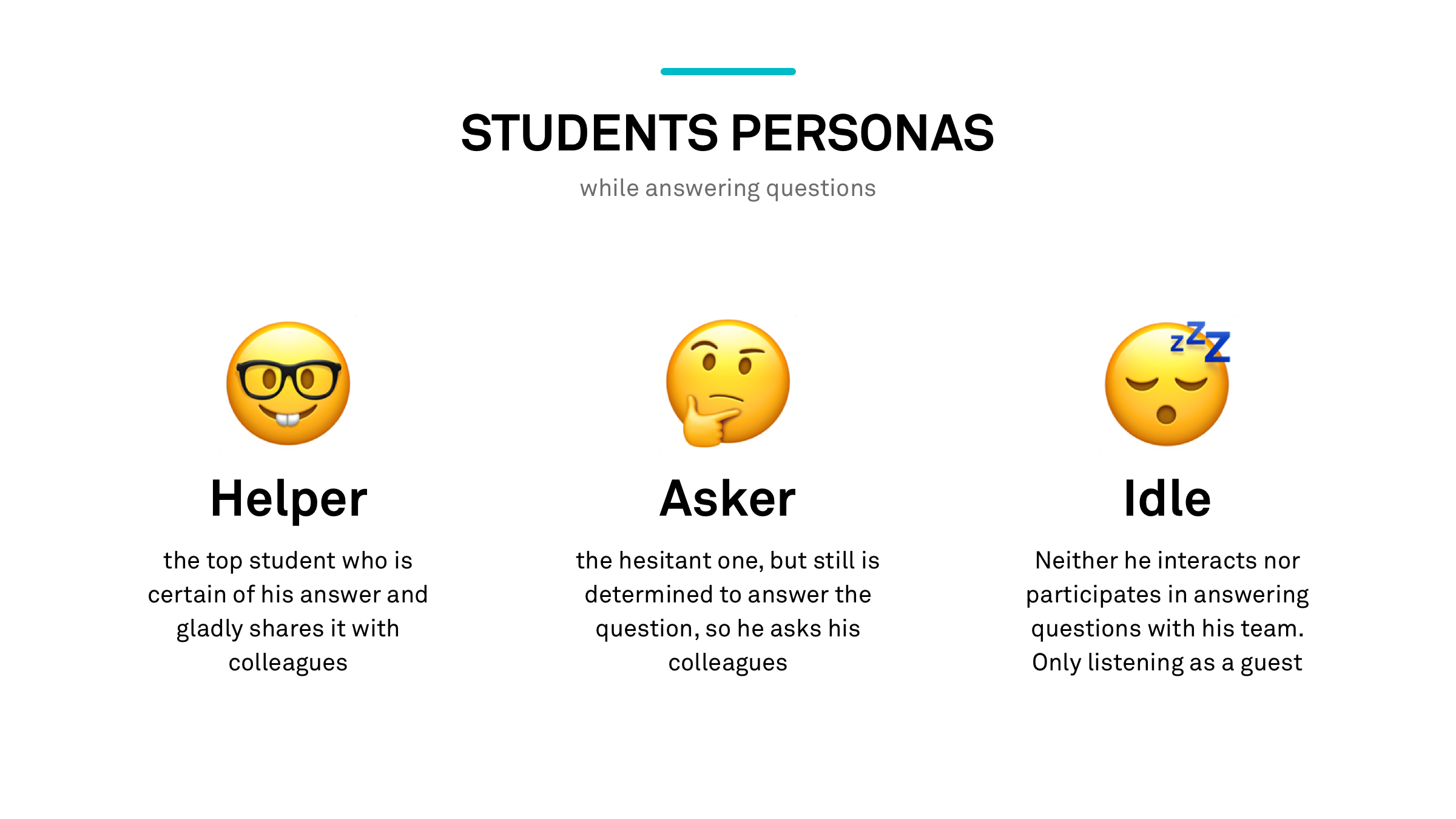
I created 2 main personas for this new flow:
The steps I took to get this amazing feature to milli0n$ of students using Noon Academy:
I started the design process by first analyzing the requirements and the business goals for the new design direction. Then with the cooperation of the product manager, we set the strategy and defined the scope for the first version.
This project designed 100% using Adobe XD
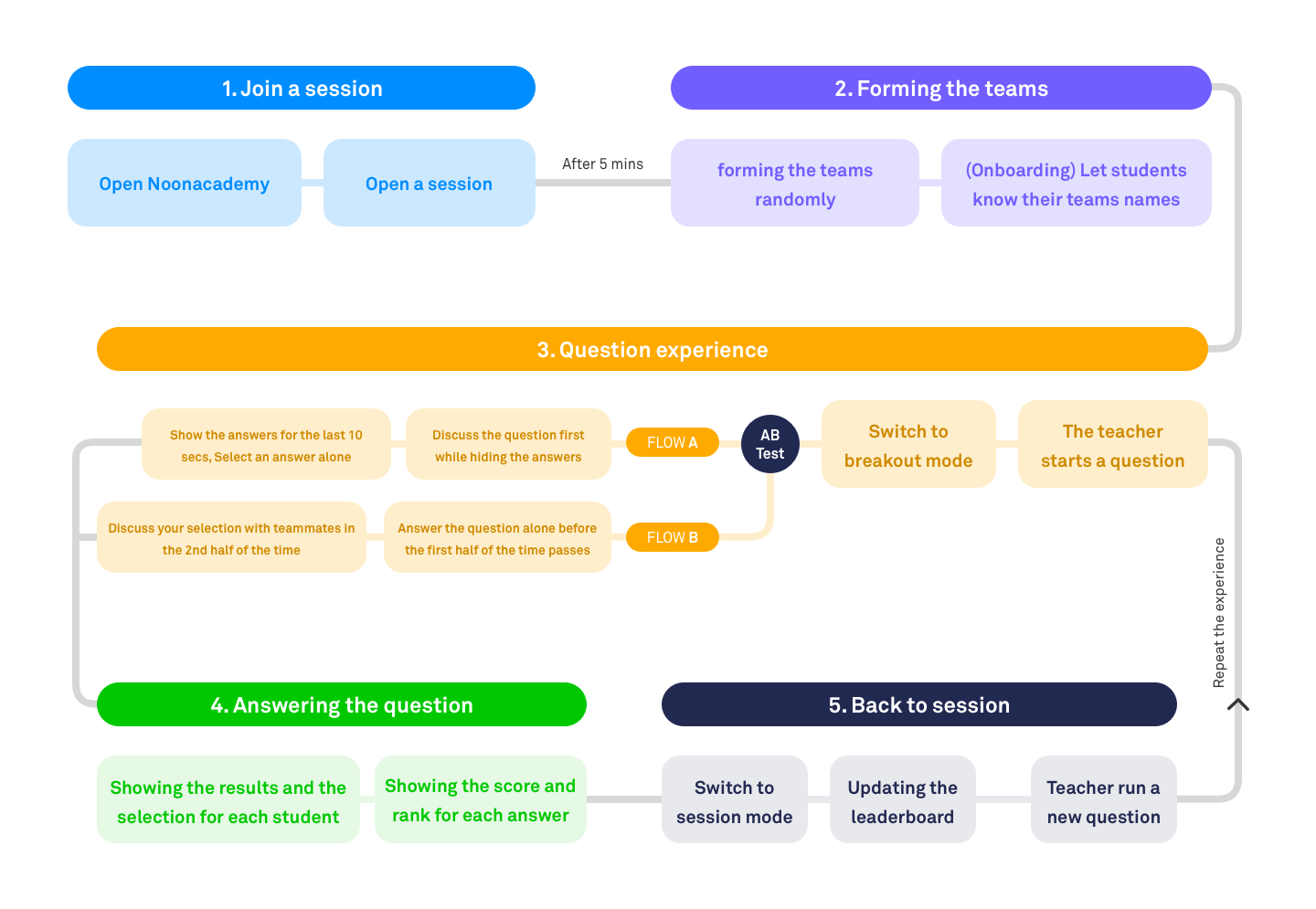
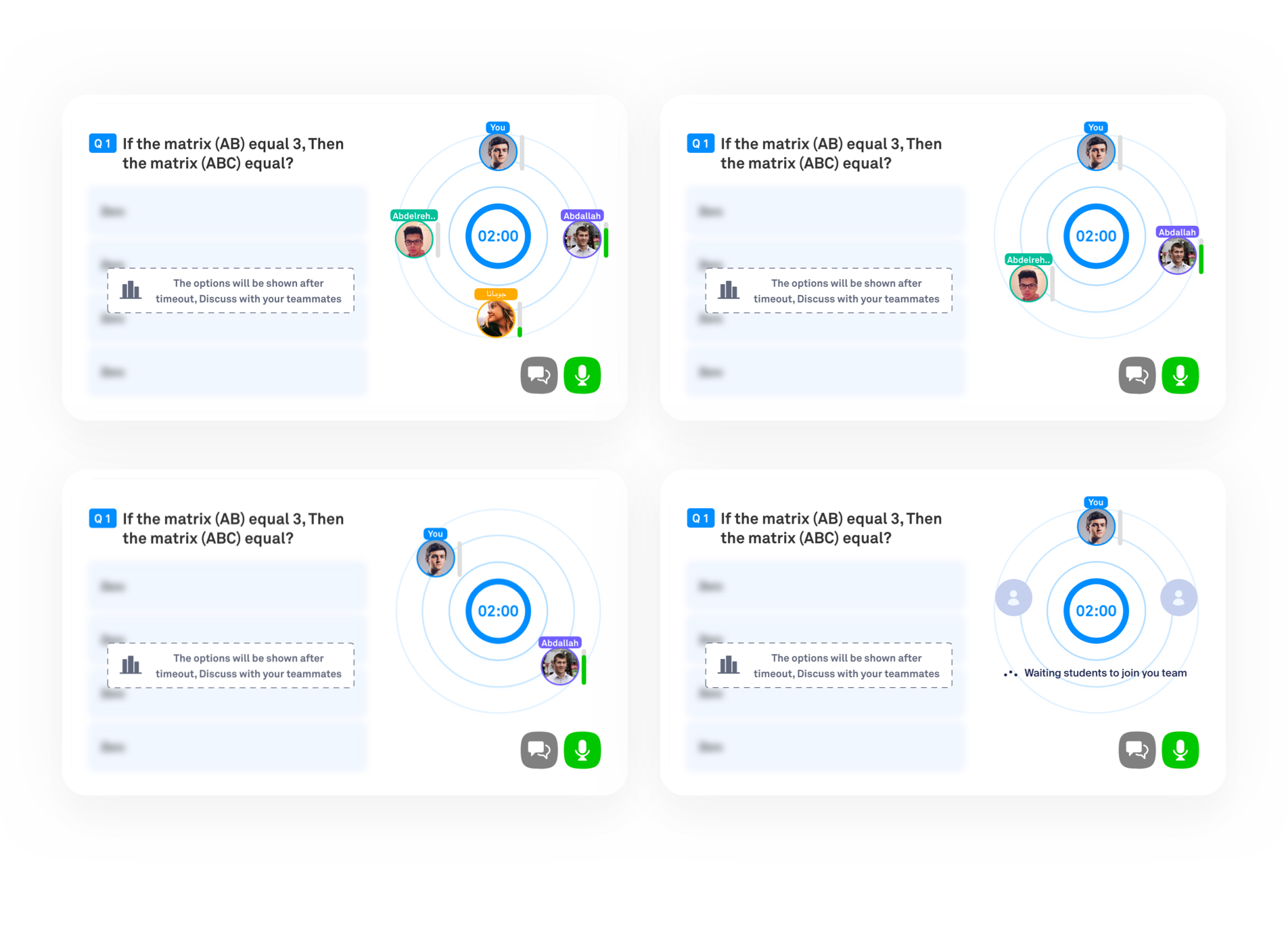
Teams are formed after 5 mins from the beginning of the session. Students who join after this time are auto-assigned to the existing teams. The team's size varies between 3-5 students
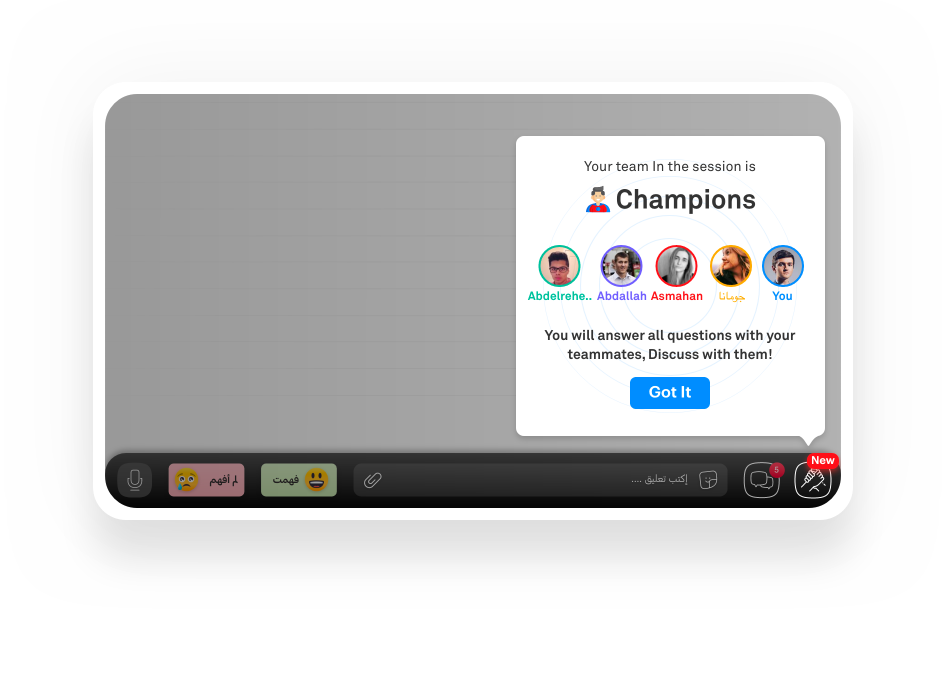
Students get to know their team's name and teammates. Each team has a cool and unique name and badge, so students will absolutely love to be a part of that awesome team.
A countdown will show up every time before the team starts discussing and answering questions to ensure that they are ready for the new experience.
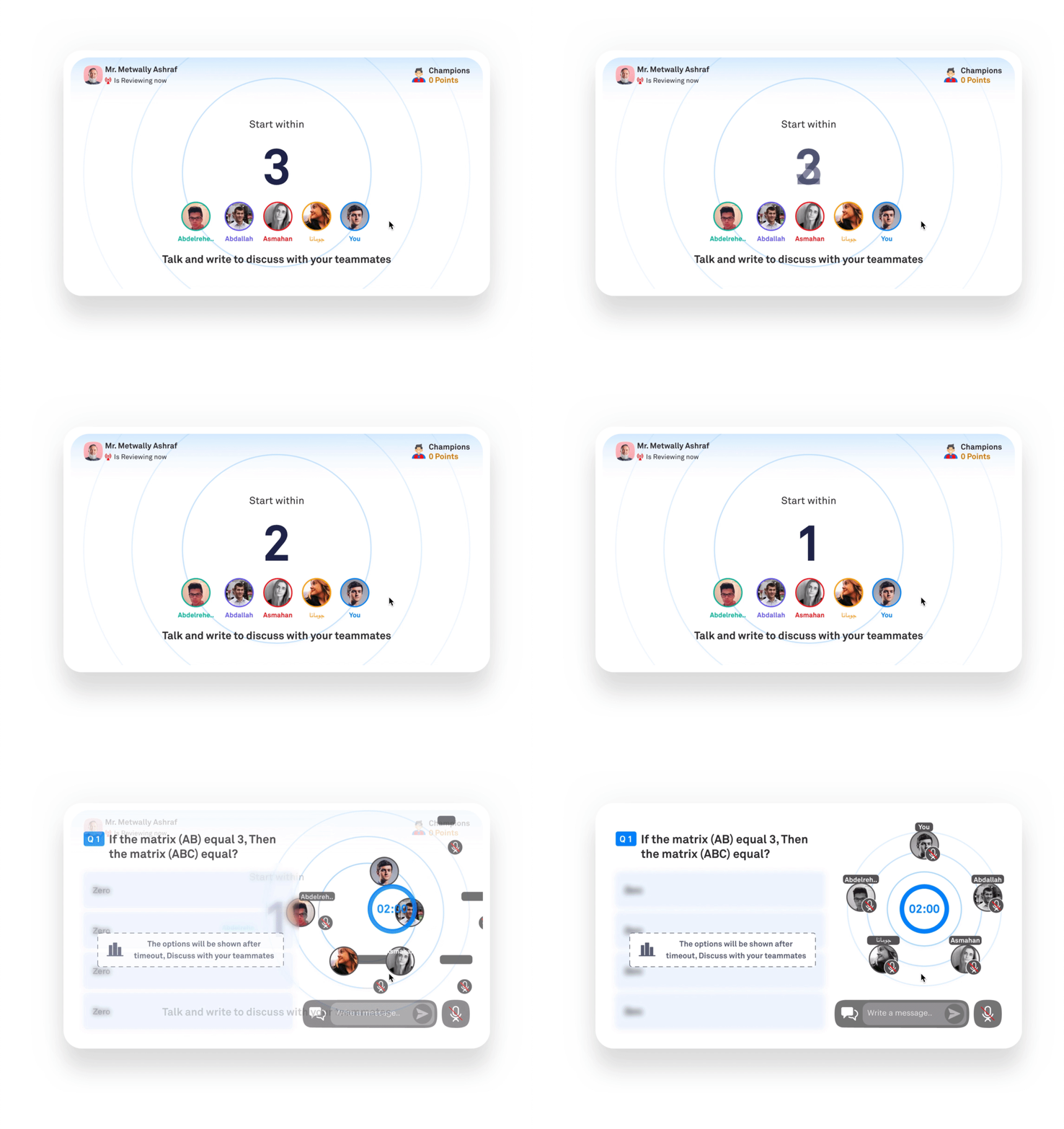
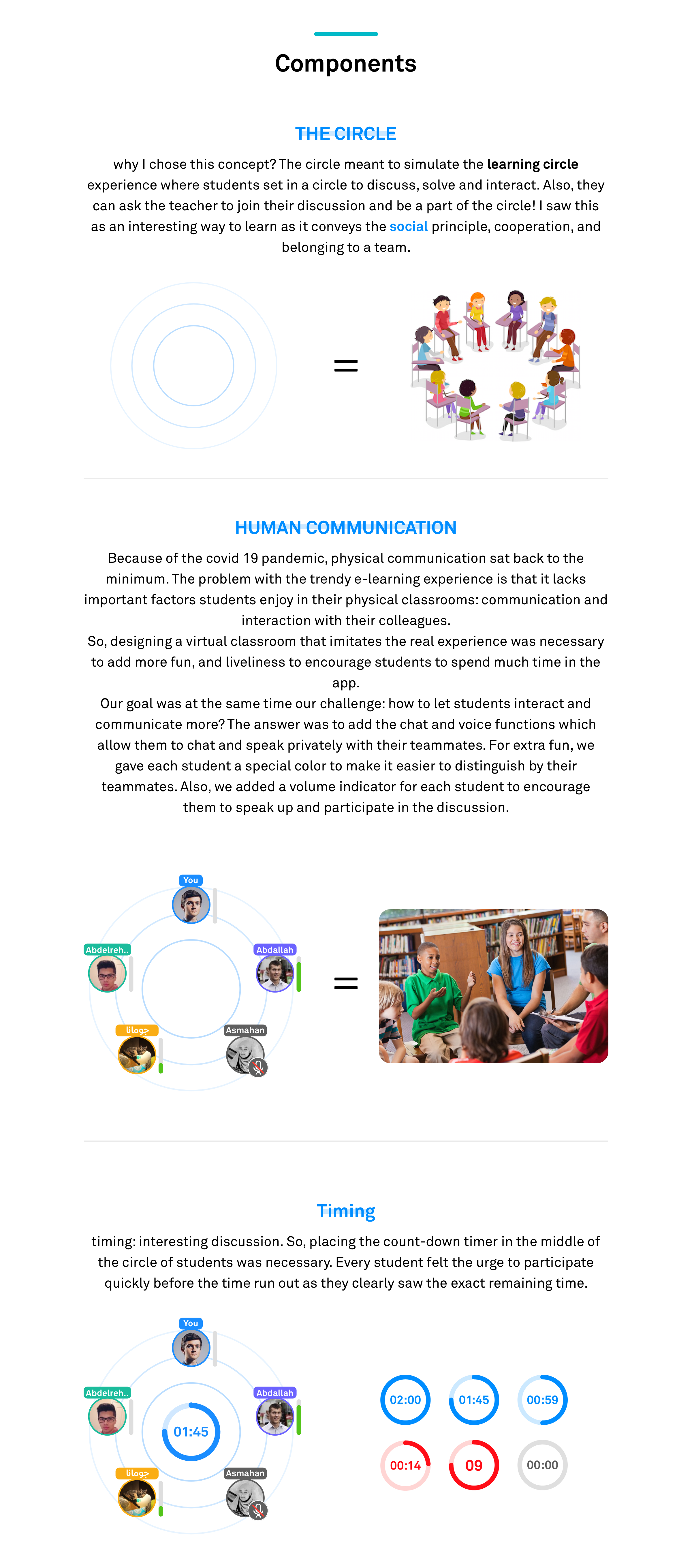
For discussing the questions, students may choose between the mic or the chat options, or both at the same time.
The audio-chat is a new feature in Noon Academy, so the mic is turned off by default and a coach mark is displayed to educate students on how they can use it.
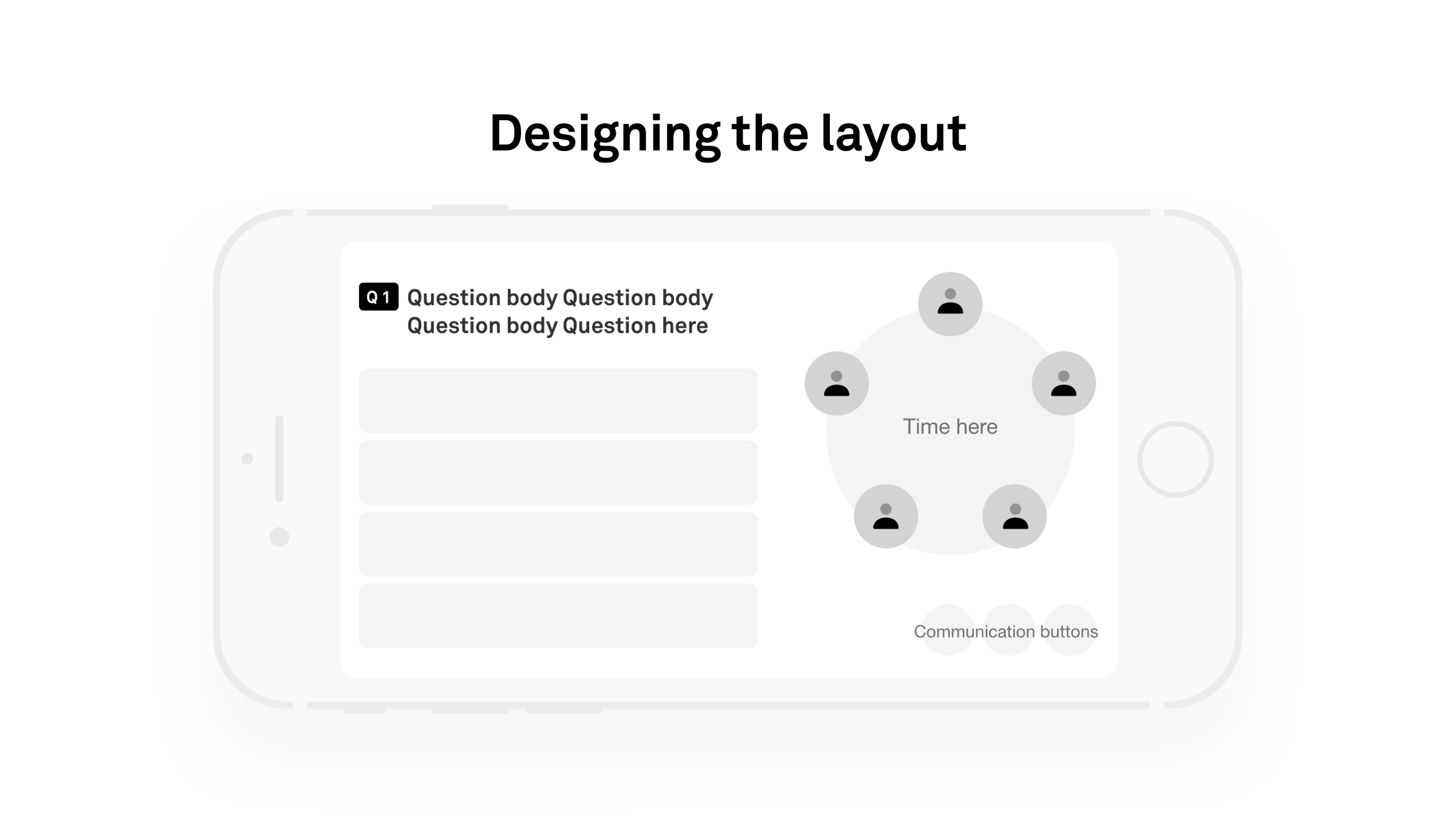
After the team is ready to begin. First, it is the discussion time with teammates as the question body shows-up while the multiple-choice list of answers remains hidden. They only appear in the last 10 secs to enable more discussion time.
This flow is a bit different from flow A. Here students begin with choosing an option. Then, after the first half of time passes, the discussion begins giving them the other half to discuss their choices. During the remaining time, students can view others' choices and modify their own initial selection.
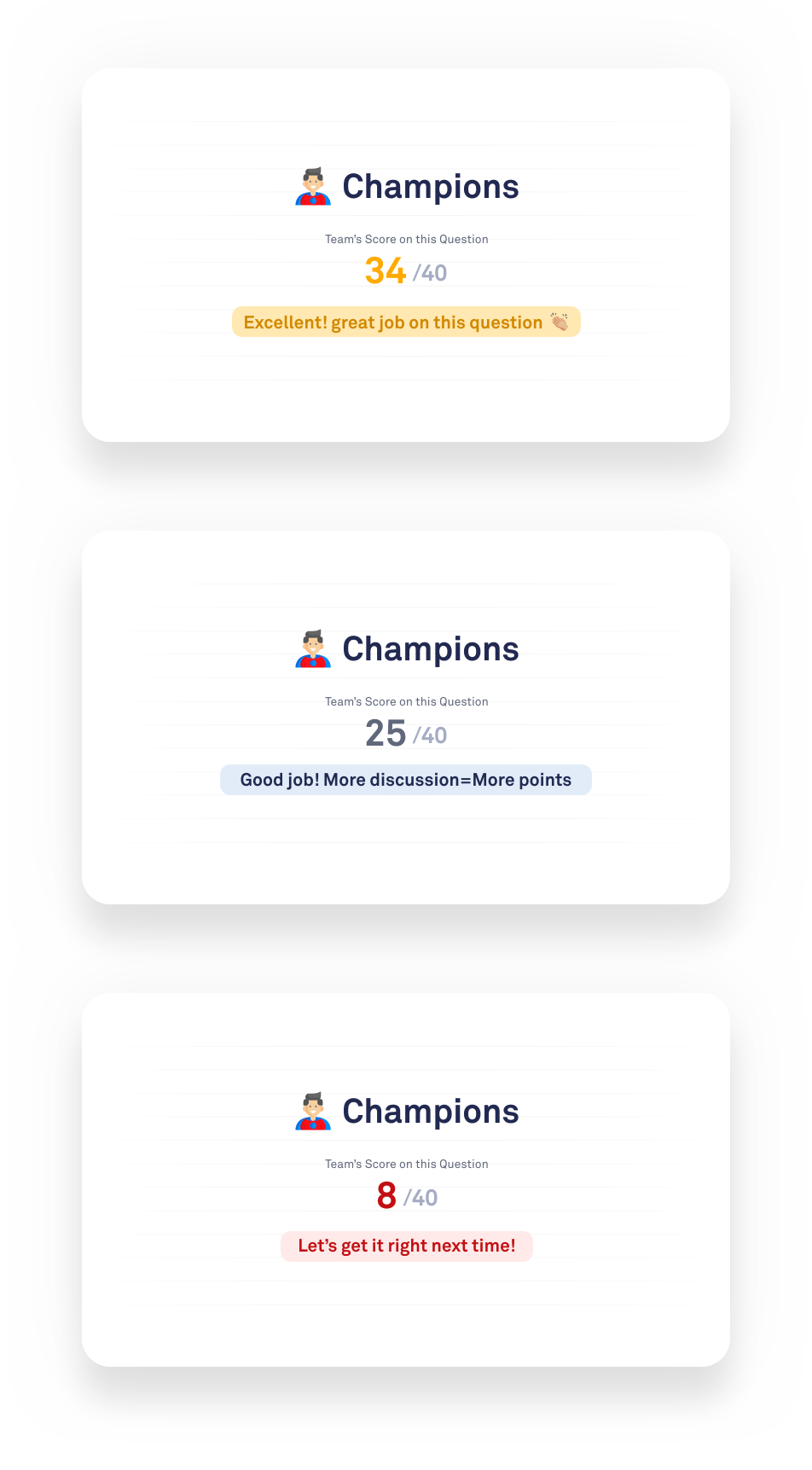
Each team will know their results directly after each question. The screen shows the team's score and the overall question points. Also, I prepared a set of motivational messages that will change based on the team's performance.
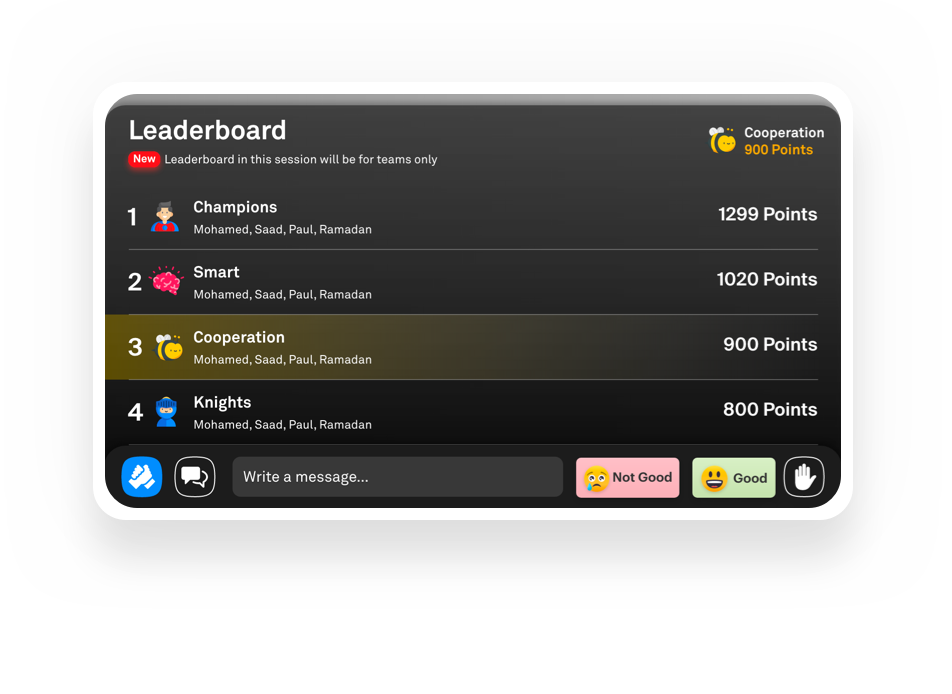
Students can view the leaderboard list when they get back to session mode. Here, they can know their rank and points and see where they stand among other teams.
I prepared interactive prototypes for both flows in Arabic using Adobe XD to test the designs before starting the development process and to ensure that we cover all status. From the quick feedback we got, we could build a solid experience
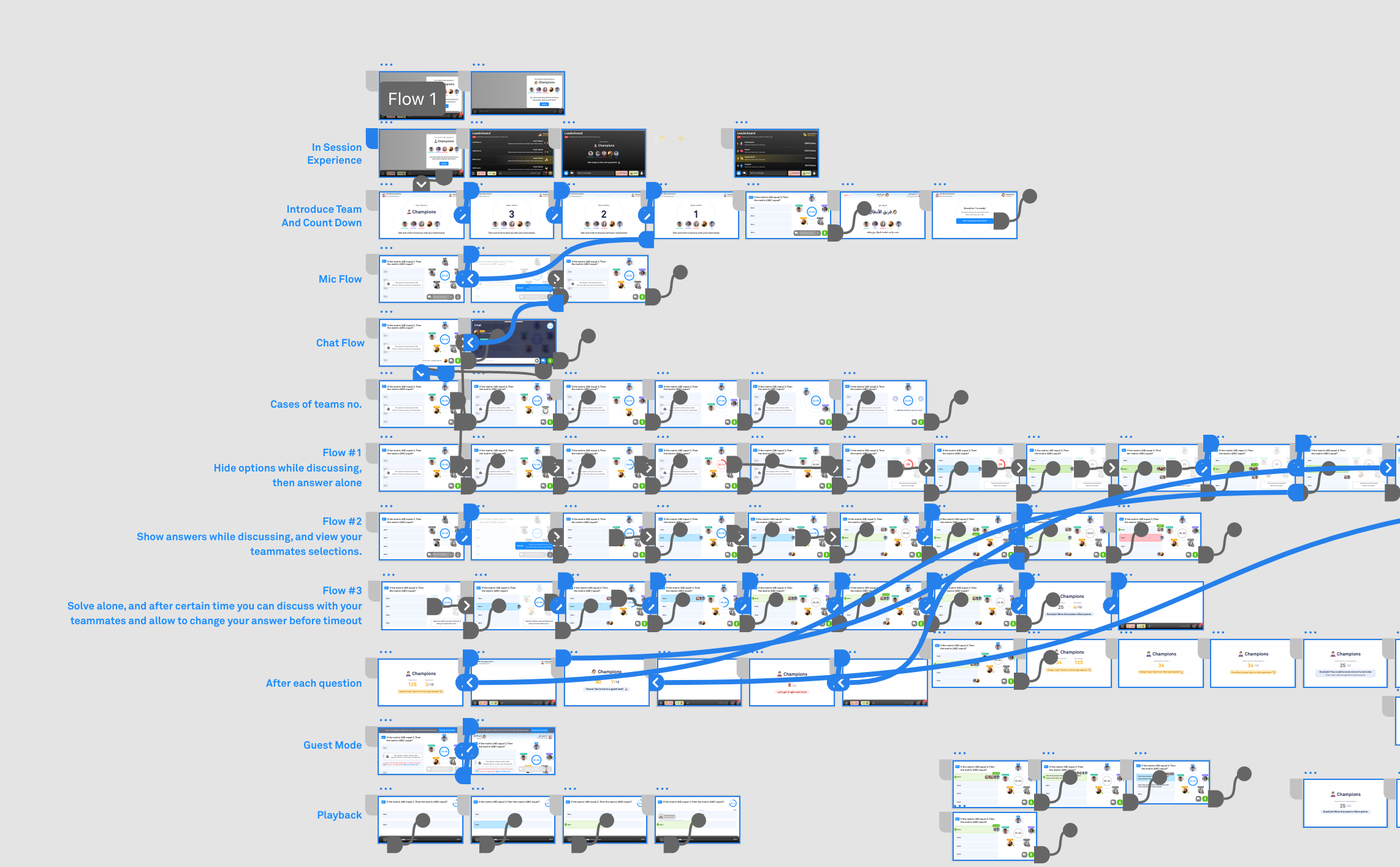
I assisted in the usability testing with our UX researcher to be closer to the user's view and better understand their motives and frustrations. we came with very good feedback. Because any change will cost more time and cost if we waited after the development phase, we started the usability testing right away with the interactive prototypes I designed. Based on the feedback we received, I made simple changes to the design before handing the designs over to the developers.
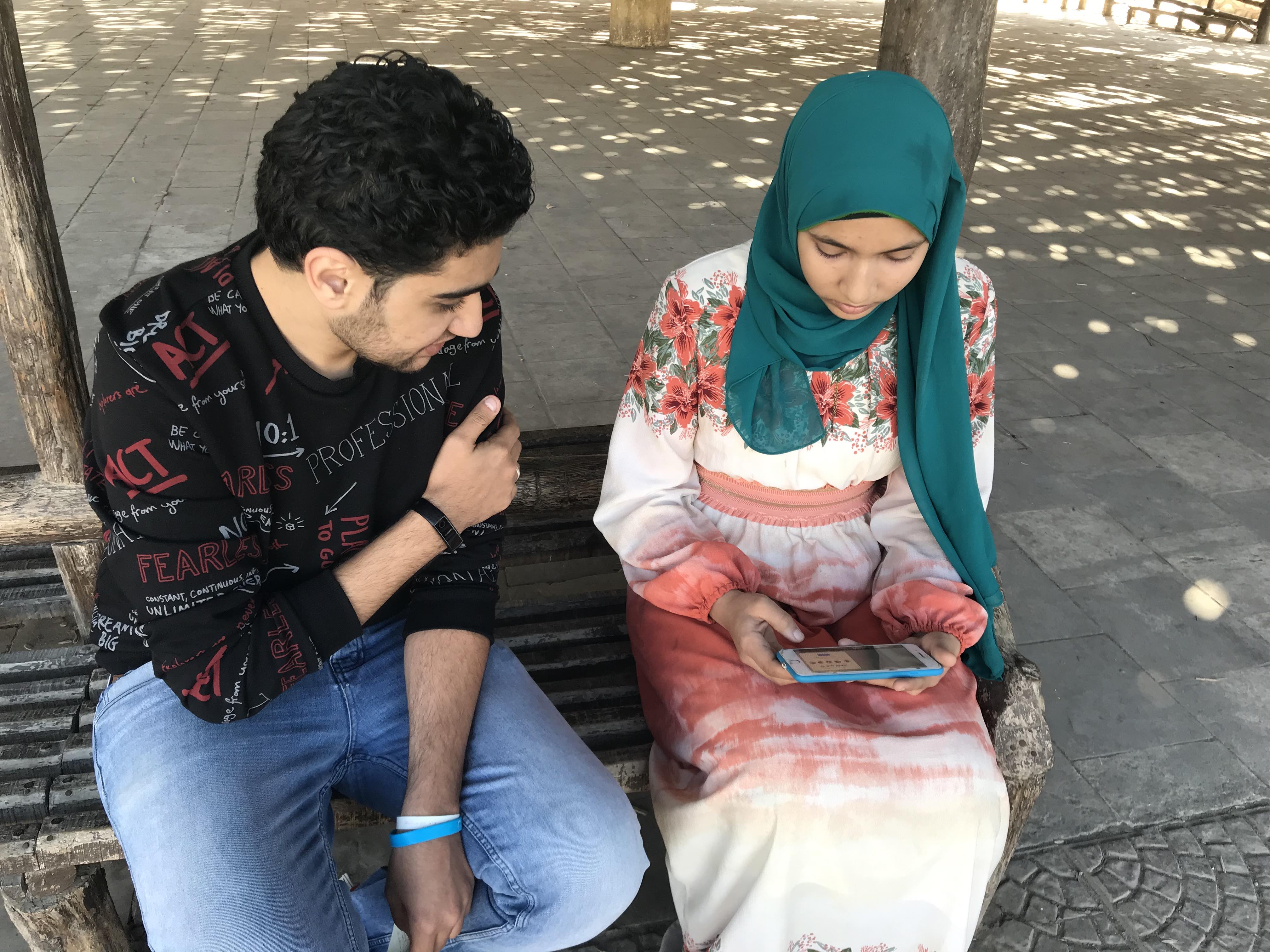
Success metrics:
Reflections and lessons learnt:
Project next steps:
This feature became the most effective feature in the social impact

Thanks for reaching this point, I really appreciate it! I would like to hear a feedback from you
Made with love with Noonacademy awesome team